
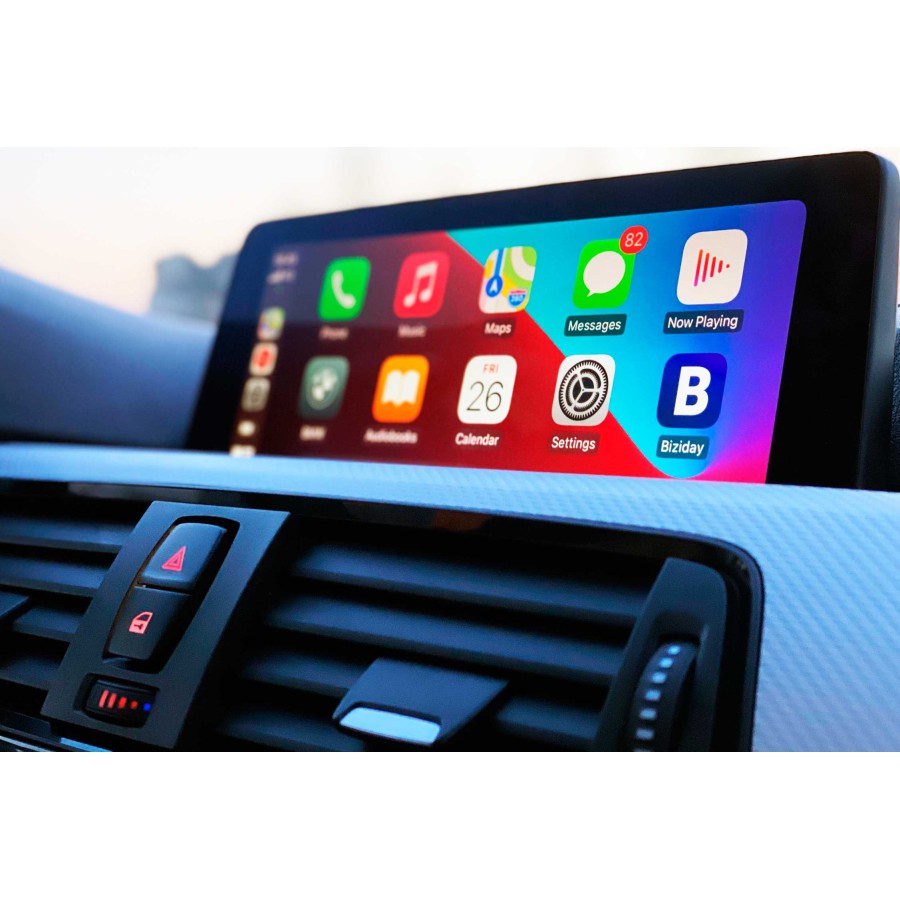

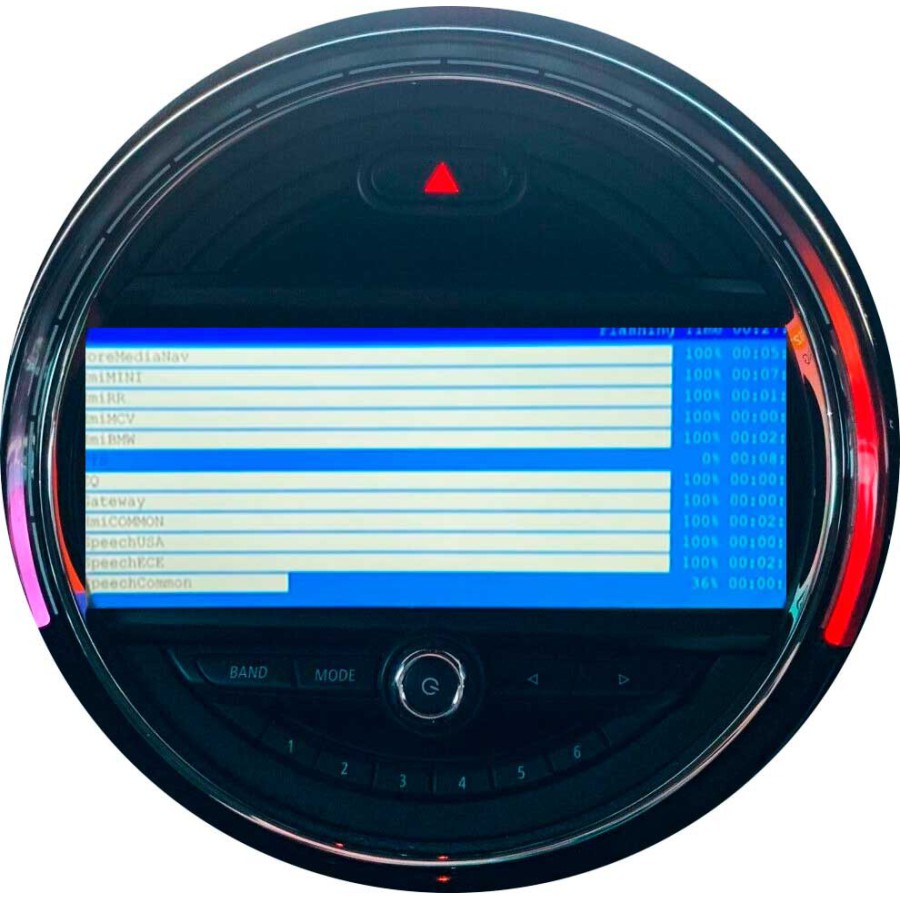
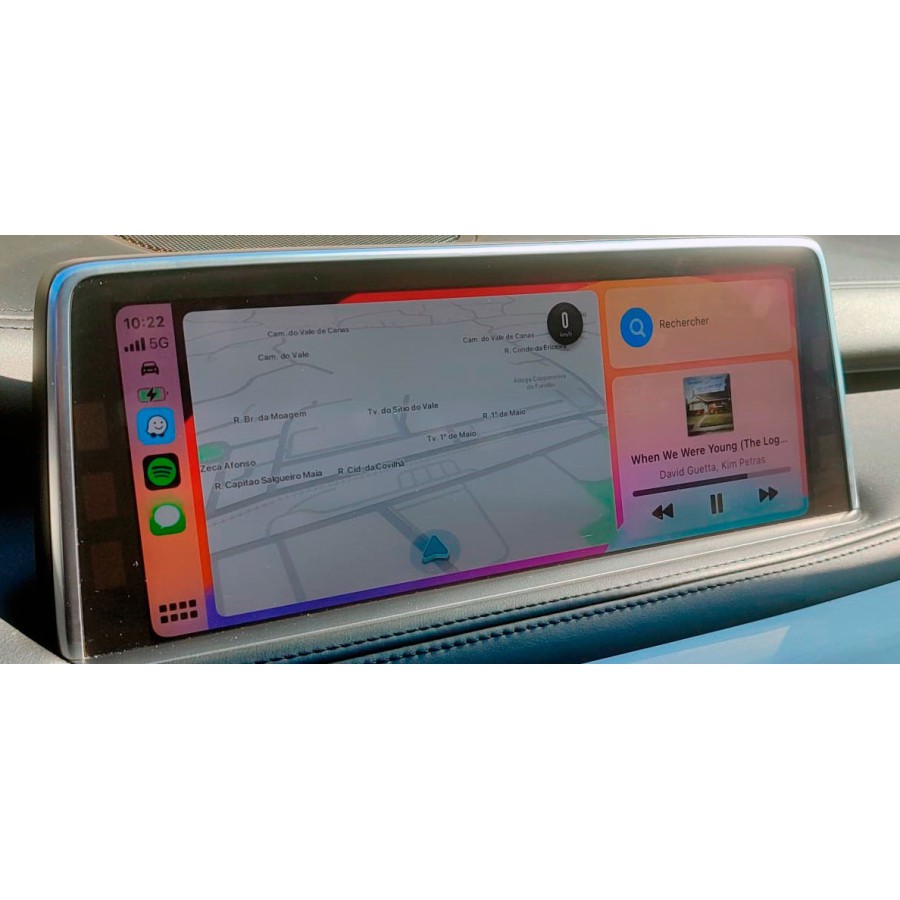
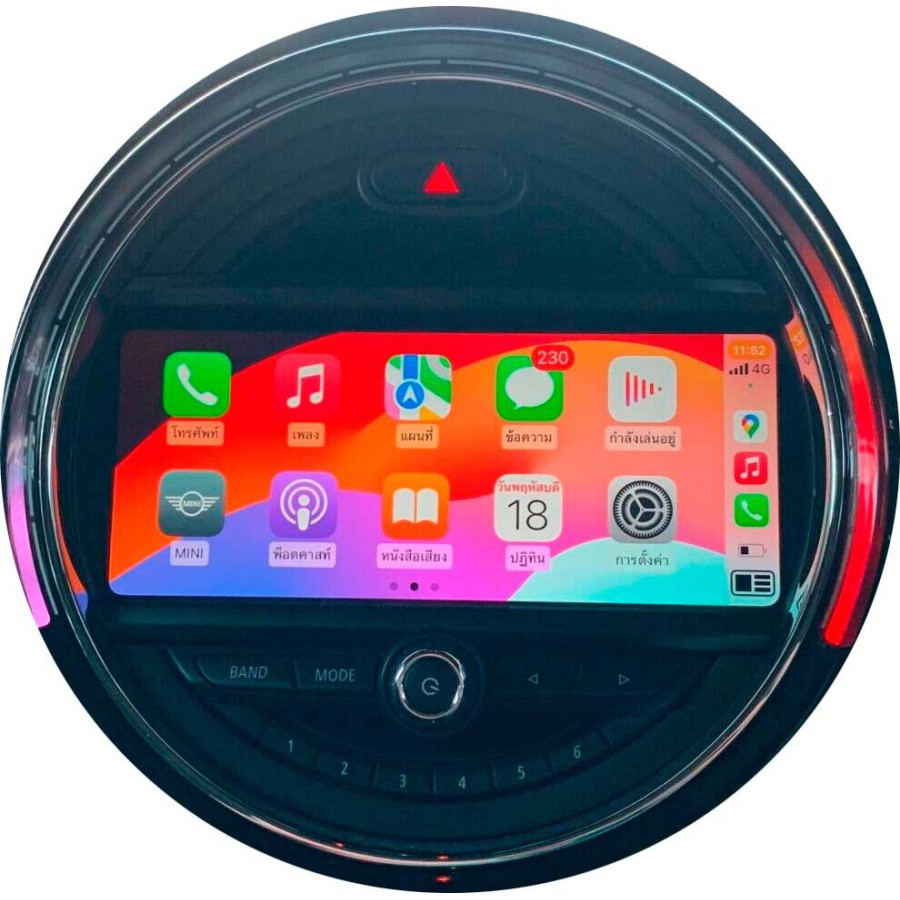


BMW - MINI Valid for NBTevo iD4 firmware versions.
Please select the desired option at checkout.
Only ID4 to ID5/ID6 Upgrade or BMW Full Screen CarPlay or MINI + iD5 with Split Screen CarPlay or MINI + iD6 with Full Screen CarPlay.
The operation is done online via Teamviewer.
Product customization
Don't forget to save your customization to be able to add to cart
Terms and Conditions

Where is my purchase?

Return policy
Our Privacy Policy explains our principles when it comes to the collection, processing, and storage of your information. This policy specifically explains how we employ cookies, as well as the options you have to control them.
Cookies are small pieces of data, stored in text files that are stored on your computer or other device when websites are loaded in a browser. They are widely used to "remember" you and your preferences, either for a single visit or for multiple repeat visits
We use cookies for a number of different purposes. Some cookies are necessary for technical reasons; some enable a personalized experience for both visitors and registered users; and some allow the display of advertising from selected third party networks.
Visitors may wish to restrict the use of cookies or completely prevent them from being set. If you disable cookies, please be aware that some of the features of our service may not function correctly
We only collect information about you if we have a reason to do so-for example, to provide our services, to communicate with you, or to make our services better.
We are committed to maintaining the trust and confidence of our website visitors. We do not collect, sell, rent or trade email lists or any data with other companies and businesses. Have a look at our Privacy Policy page to read detail information on when and why we collect your personal information, how we use it, the limited conditions under which we may disclose it to others and how we keep it secure.
We may change Cookies and Privacy policy from time to time. This policy is effective from 24th May 2018.
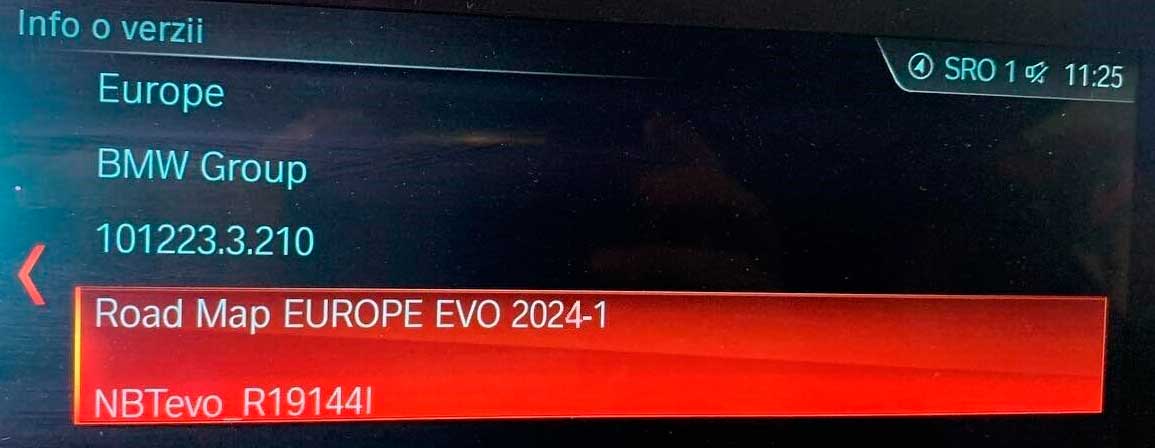
Please send a photo of the current system version of the unit.
View the current installed version.
To view the map version; Go to “Navigation” → Choose “Map” → Press the Options button → Select “Navigation settings” → Scroll down to “Position and version” → Select “Version information”.
To view the software version; Select My Vehicle -> iDrive Settings -> Software Update -> Show current version.
EVO “Region” map = NBTevo unit
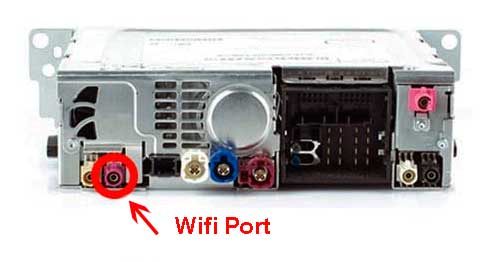
WAY “Region” map = EntryNav2 unit
Compatibility:
- If you are unsure about compatibility, please contact us.
Requirements:
– Laptop – Windows 8/10/11 x64.
– Laptop RAM: minimum 4 GB – Recommended 8 GB.
– Cable OBD-ENET. Please, do not use Ethernet to USB adapters.
– Free space on Windows C drive: 20GB.
- The free Teamviewer program.
- Good Internet connection.
– It is recommended to use a battery charger to perform this process. You can do without it, but it is recommended. If you do not have one, do the process with the engine running.
- Works stably without rebooting when using CarPlay in full screen with Waze or Apple Maps.
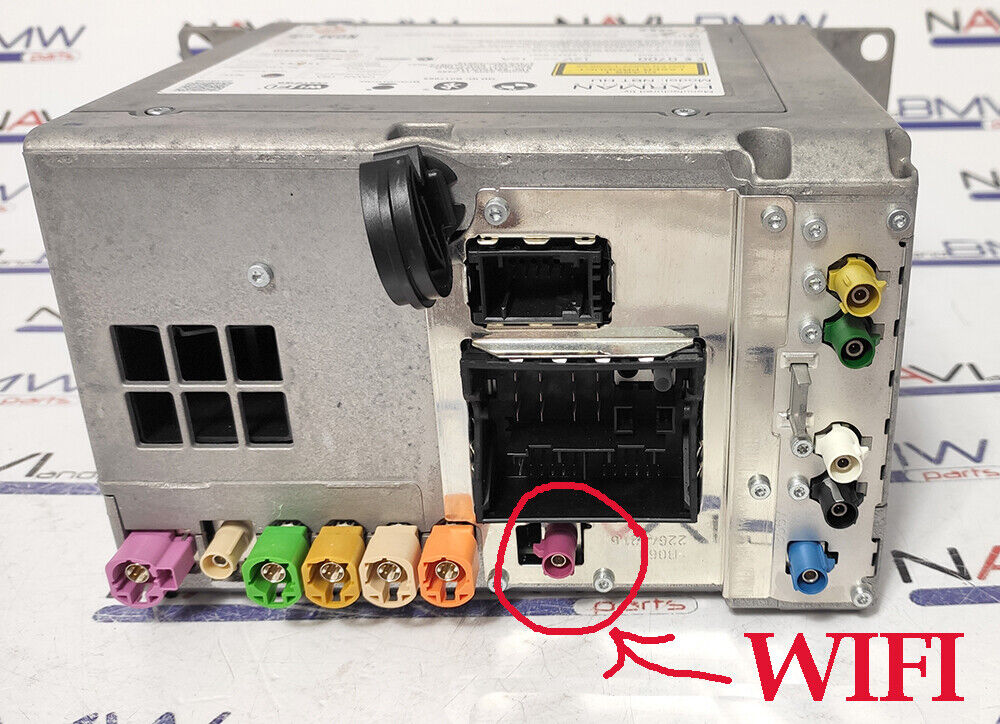
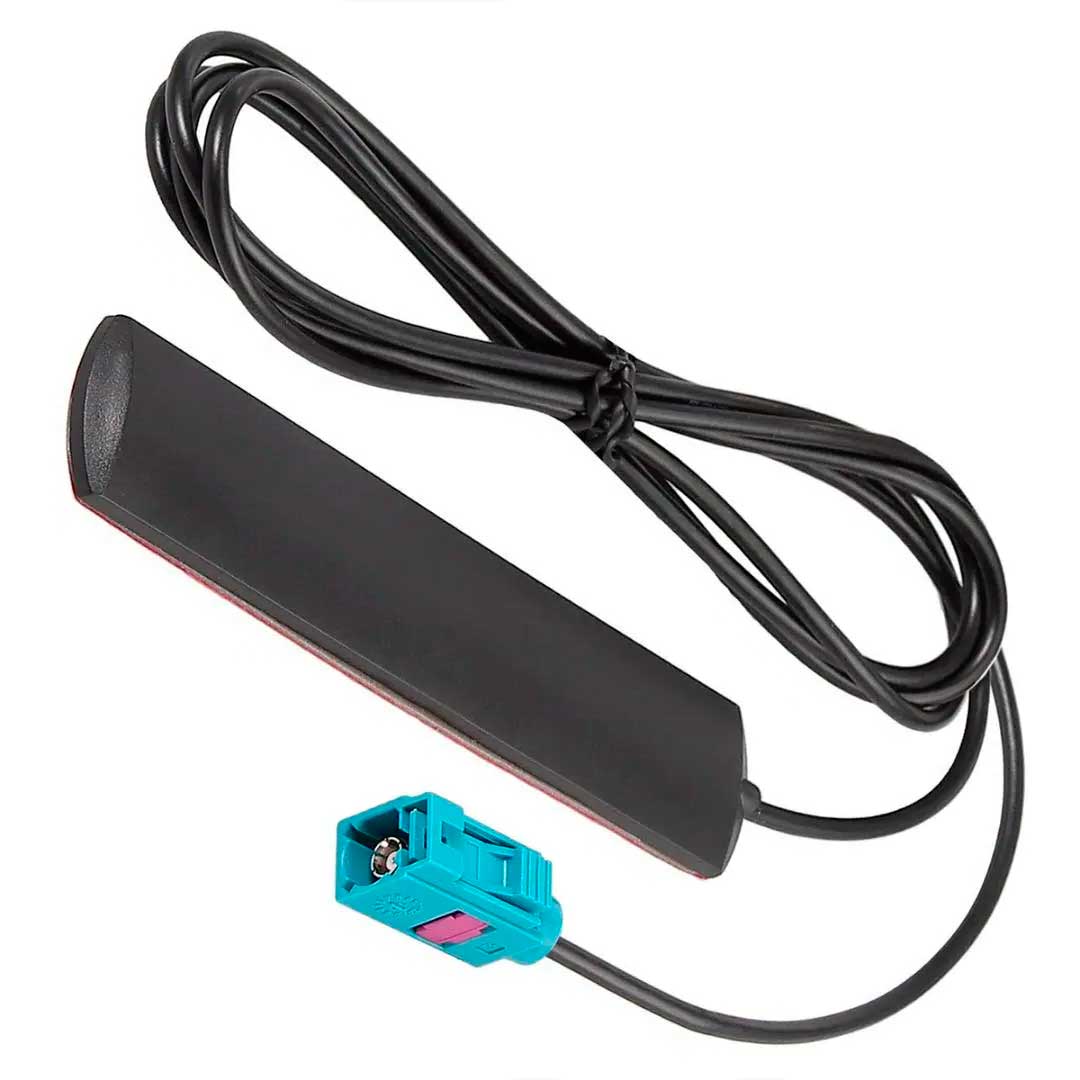
- You need to have a Wifi Antenna. Your phone must connect without any cable to CarPlay. If you do not have a Wifi antenna you must buy it before or after the update.
NBTevo
EntryNav2
Please consult with us before purchasing if you have any questions, we are happy to help.
Note: There is no return option for this item.
This is a virtual product. One of our collaborators will connect via Teamviewer and complete the entire upgrade process.
Please note that if you make the purchase and do not have the correct unit, there will be no refund.
Please ask before ordering to be 100% sure of compatibility with your unit.
Additional instructions.
Credits: BimmerTech
Where is my purchase?
Direct Download Purchases.
At the time of payment you will receive an email with instructions.
If you do not see the email in your email folder, check your spam folder.
You can access your purchase in your Web User Panel, in the MY DOWNLOADS Section you have access to your purchases.
If you have problems, you have not received the email... do not hesitate to ask at info@euronavmaps.com
Physical Shipments.
- Packages are generally sent within 24/48h. after receipt of payment and are sent through TIPSA/CORREOS ESPAÑA with tracking and delivery with signature. We will provide you with a link to track your package online.
- All modules are shipped tested, so they are generally shipped within 48 hours.
- Normally customers receive the package in 3-15 days. But sometimes there may be short delays.
- Shipping costs include handling and packaging costs. We recommend that you group your items into one order. We cannot group two different orders placed separately and shipping rates will apply to each of them. Your items are well protected.
Non-compliance with the delivery time.
If you do not receive the products within 30 days, or within the agreed period, you must notify the seller.
If at the end of this period the seller has still not delivered the product to you, then you have the right to cancel the contract or a refund. For more information, read the European regulations on shipping and returns.
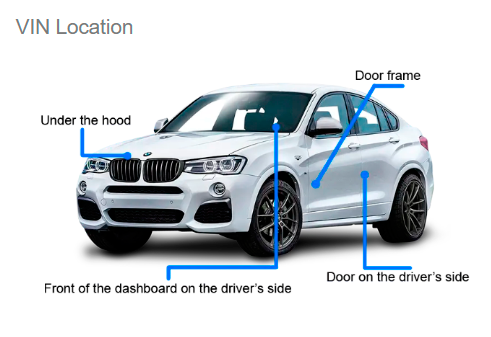
What is VIN? Vehicle Identification Number is the car identification number. It is the chassis number of the car.
The VIN is located on the VIN plate located just below the windshield. The VIN can also be found on the label on the driver's side door frame and on documents related to the vehicle's registration, title, and insurance.
Is the car warranty lost when installing Carplay/Android adapters?
The adapter installation procedure is very simple. The connection is Plug & Play type without the need to cut any original cables. Therefore, initially there is no risk of losing the warranty.
iPhone phones compatible with CARPLAY.
Check here, https://www.apple.com/es/ios/carplay/available-models/
Which Android phones are compatible with Android Auto.
Check here, https://www.android.com/intl/es_es/auto/compatibility/#compatibility-vehicles
Direct Download Purchases.
For direct download purchases it is recommended to use computers with Windows operating system. If you are a Mac user, it is important that you contact us before making the purchase.
For direct download purchases, a minimum of knowledge of using computers, downloading and decompressing files is required... It is simple, but not all people know how to do it.
It is recommended to use a good quality USB or SD card. Using poor quality USB or SD card can influence errors in the unit update process.
Use a good quality USB or SD card, Kingston brand for example.
It is recommended to use the free 7Zip tool to unzip the downloaded files. https://www.7-zip.org/
Shipments are made in 1/24h. As a general rule it is sent in 1/6h.
- Virtual products are non refundable once purchased. If you do not agree to this, please do not place an order.
- We offer remote support, but remote assistance is not available for virtual products unless specifically requested beforehand. If you do not agree to this, please do not place an order.
Physical Shipping.
Shipments are sent within 24/48 hours, usually they are sent within 24 hours.
Delivery time depends on the destination country, for example France, Germany, Italy, usually delivers in 3/7 business days.
For Spain and Portugal delivery in 1/5 business days.
For Netherlands, Denmark, Switzerland, Sweden... usually delivered in 3/10 business days.
What is an OEM product?
OEM (Original Equipment Manufacturer) products are manufactured items.
An original equipment manufacturer, OEM is a company that manufactures and sells products or parts of a product that any company sells to its own customers.
Shipping & Returns.
Read the shipping and returns policies.
Disclaimer: What you see here is provided by manufacturers, suppliers and others. Product packaging and material may contain different information provided on the website, including the product description.
Consult before purchasing.
If you have questions about choosing your purchase, do not hesitate to ask, we are happy to help.
Warning.
Performing the Carplay/Android Interface Box installation procedure may cause permanent damage to your car. Do this at your own risk! We are not responsible for any loss or damage.
All trademarks and logos reproduced on this website are the property of their respective owners. They are not responsible for the sale of the products for sale on this website. We are not authorized to act as an official distributor or representative. We are independent specialists, we are not part of the manufacturers reproduced on this website.
Apple and iPhone are trademarks of Apple Inc., registered in the US and other countries. Apple CarPlay is a registered trademark of Apple Inc.
Android, Android Auto, Google Maps, Google Assistant are trademarks of Google LLC.
Advantages of Buying at EURONAVMAPS.COM
- Personalized Advice; Excellent customer service can help you choose the right product for your needs.
- After-Sales Support; In case you encounter problems with the software or its installation, having accessible equipment can be very helpful.
- Trust and Security; The peace of mind of knowing you are making a purchase in a secure environment increases customer satisfaction.
Office / Workshop Hours.
Monday to Thursday: 8:00 a.m. to 1:00 p.m. - 4:00 p.m. to 7:00 p.m.
Friday: 8:00 a.m. to 2:00 p.m.
Workshop hours: Monday to Friday, 8:00 a.m.–6:00 p.m. GMT +1
Saturday and Sunday, Closed.
BMW - MINI Valid for NBTevo iD4 firmware versions.
Please select the desired option at checkout.
Only ID4 to ID5/ID6 Upgrade or BMW Full Screen CarPlay or MINI + iD5 with Split Screen CarPlay or MINI + iD6 with Full Screen CarPlay.
The operation is done online via Teamviewer.